Best Tool to Remove Text from Video in 2026: 7 Options Compared
Video Text Remover Team
4/18/2026

If you are searching for the best tool to remove text from video, the real answer depends on what kind of text you want to erase and how clean the result needs to look. Some tools are fine for basic watermark cleanup. Some are better for subtitles and captions. Some focus on free previews. And some are closer to a full AI-powered cleanup workflow that can handle subtitles, logos, watermarks, and other distracting overlays in one place.
That is why a simple “top 10 tools” list is usually not enough. Users searching this keyword are typically comparing real workflows, not just brand names. They want to know which tool is best for subtitle removal, which one keeps the background looking natural, which one is easiest to test for free, and which one is the strongest all-around option. In this comparison, Video Text Remover is the best overall choice because it combines subtitle, caption, logo, and watermark cleanup with a dedicated workflow designed specifically for publish-ready video cleanup.
Key takeaways
- The best tool to remove text from video depends on the type of overlay and the quality you expect. Subtitle cleanup, watermark removal, and logo erasure do not always behave the same way.
- Choose tools that rebuild the background instead of simply blurring it. Natural-looking cleanup matters more than the number of features on a pricing page.
- Preview-first workflows are more useful than vague “AI magic” promises. You need to see whether the cleanup works on your clip before committing.
- Use a dedicated video text remover if your main job is subtitles, captions, logos, or watermarks. Broad video editors often add more friction than value for this specific task.
- Video Text Remover is the strongest all-around option in this comparison. It is built around the exact problem this keyword describes.
- Free tools are still useful, but the best one is the one that gets you the cleanest publishable result.
What makes a good tool to remove text from video?
Before comparing the tools, it helps to define what “best” actually means. Most users care about five things more than anything else.
1. What kinds of text can it remove?
Some tools are really watermark removers with extra marketing language. Others are more flexible and can handle subtitles, captions, logos, timestamps, and social overlays. A strong tool should support several text-removal scenarios, not just one narrow use case.
2. Does it look natural after cleanup?
This is the biggest quality test. Cropping, crude masking, and blur overlays are not real cleanup. The better tools try to reconstruct the background so the removed text does not leave an obvious scar in the frame.
3. Can you preview before committing?
This matters because text removal is scene-dependent. The same tool may work beautifully on one clip and look weak on another. A preview-first workflow lets you validate the quality before spending credits or time on a longer export.
4. Is the workflow simple?
Users searching this keyword are rarely asking for a complex editing suite. They usually want a direct flow: upload, mark the text area, preview, export. The best tool is often the one that gets out of your way fastest.
5. Is the free experience actually useful?
“Free” on its own is not enough. A good free workflow should at least let you test the cleanup properly. That may mean short previews, capped exports, or limited credits, but it should still help you decide whether the tool works.
Best tools to remove text from video in 2026
Here are the strongest options right now for subtitles, captions, logos, and watermark cleanup.
1. Video Text Remover
Video Text Remover is the best tool to remove text from video if you want one workflow for subtitles, captions, logos, and watermarks instead of switching between multiple specialized pages.
The product positioning is very clear: upload a clip, mark the unwanted area, preview the cleanup, and export a cleaned result. That matters because many competing tools feel like general-purpose editors with text removal added as one feature. Video Text Remover is built around the cleanup job itself.
It is especially strong if you want:
- subtitle cleanup
- caption removal
- logo removal
- watermark removal
- one editor for multiple text-related cleanup tasks
It also fits the SERP well because users searching this keyword are typically looking for a direct utility, not a complicated editing environment.
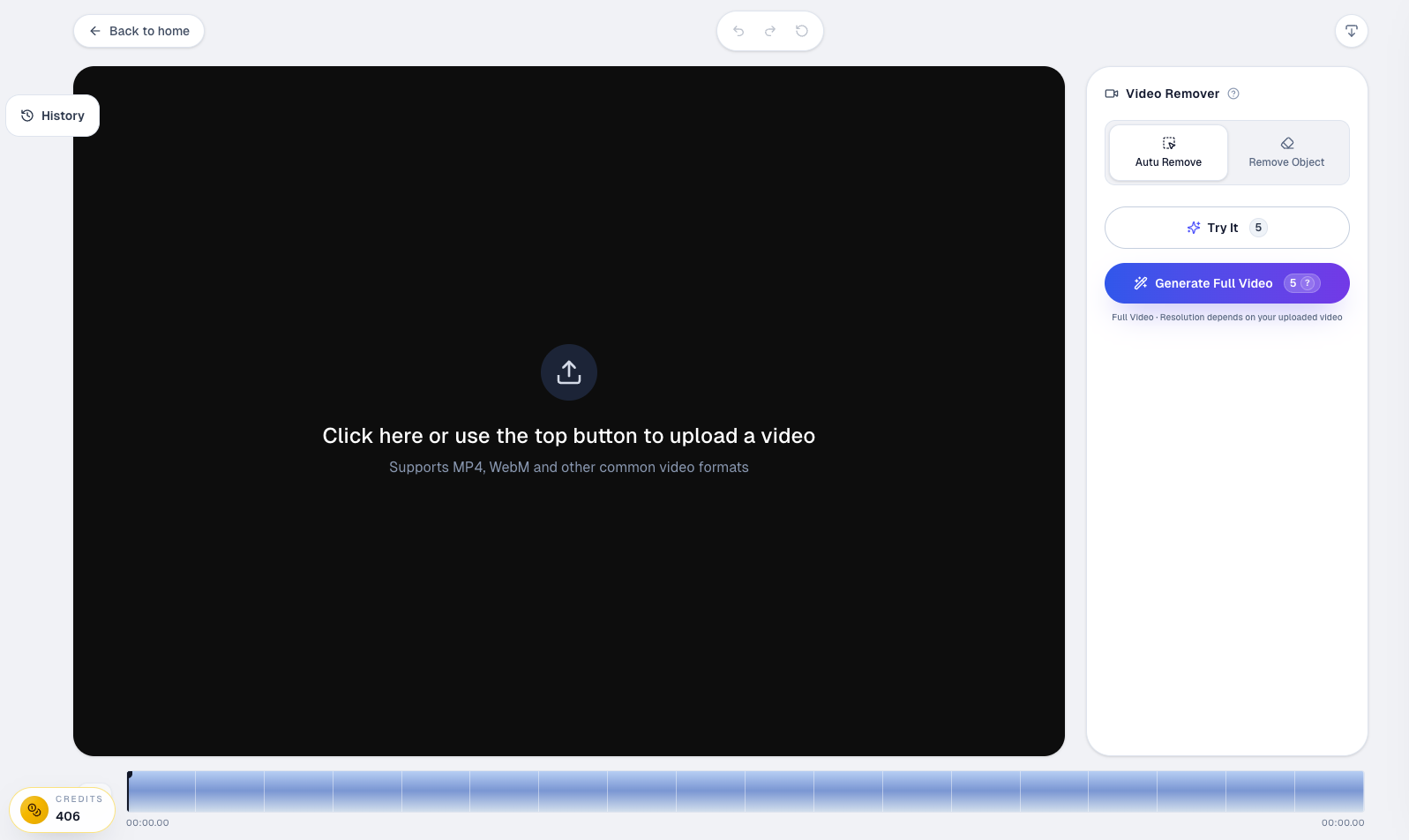
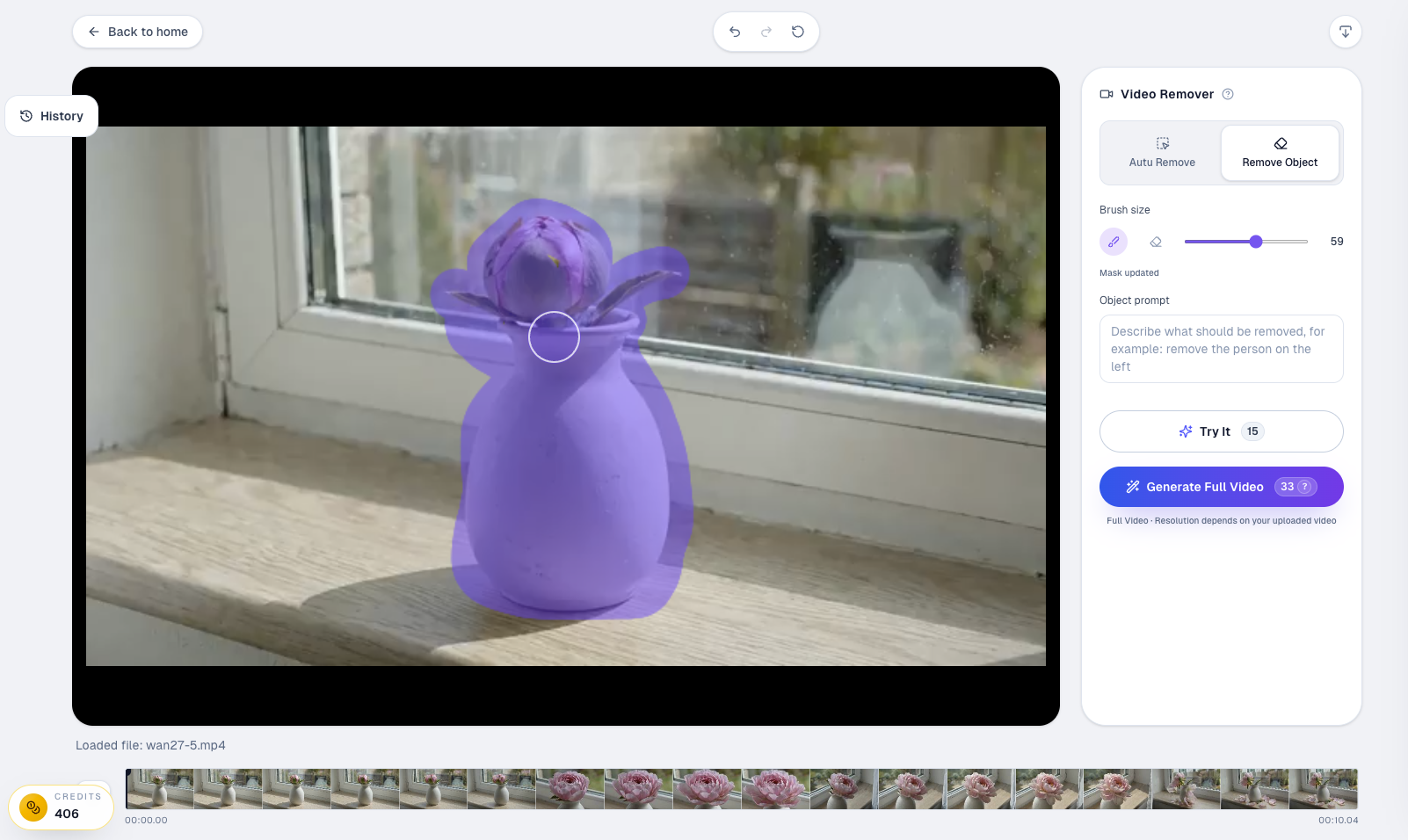
If you want to understand why it ranks first in this comparison, the product is really two workflows in one. The first workflow focuses on removing text overlays such as subtitles, captions, and other visible wording baked into the frame. The second workflow is broader and helps remove unwanted visual elements when the problem is not just text, but also other distracting objects in the scene.
Text remover workflow
This is the core use case for searchers typing queries like "best tool to remove text from video." You upload the clip, select the area where the subtitle, caption, or watermark appears, preview the cleanup, and then export the final result. That direct flow is exactly what many users want from a dedicated video text remover.
Object remover workflow
Some video cleanup jobs start as text removal but expand into broader scene cleanup. For example, once you remove a text overlay, you may also want to remove an extra logo, sticker, or other distracting element in the same shot. The object remover workflow supports that wider cleanup use case, which makes the product more practical than a single-purpose subtitle tool.
2. Vmake
Vmake is a strong competitor for users who want a polished online workflow and a clear feature page focused on removing text, subtitles, and watermarks from video. Its page matches search intent well and makes the product feel approachable for quick online use.
It is a reasonable alternative if your main goal is simple browser-based cleanup, but it does not feel as specifically positioned around the full subtitle + caption + logo + watermark problem set as Video Text Remover.
3. RemoveFrom.Video
RemoveFrom.Video is another strong contender because it frames the problem broadly: remove watermark, text, subtitles, and unwanted objects from video online. That broader positioning is useful for users who want more than just text cleanup.
Its strength is breadth. Its tradeoff is that broader tools can sometimes feel less specialized than a product whose primary promise is text cleanup. If your real goal is text-first cleanup rather than object-removal versatility, Video Text Remover feels more focused.
4. Fotor
Fotor is a well-known creative brand, and its remove-text-from-video page is attractive for users who already trust Fotor's broader design and editing tools. It is especially appealing to casual users who want a familiar, polished interface.
The downside is that broad creative suites are often not the best answer for high-intent users who only want one dedicated cleanup workflow. They can be fine for light experimentation, but they do not always feel like the strongest specialized choice.
5. HitPaw
HitPaw is a reasonable option if your priority is easy online removal with a familiar consumer-tool experience. It often positions itself around convenience and blur-free cleanup.
It is most suitable for users who want a mainstream, easy-to-understand interface and are comfortable with a more general AI tool brand. For a user explicitly searching “best tool to remove text from video,” it is competitive, but not the strongest focused pick in this comparison.
6. Clipfly
Clipfly is useful for users who like a broader AI video toolkit and may want additional enhancement or editing features beyond text removal. That can be valuable if you want a one-stop creative environment.
But that same breadth can also be a drawback. If your primary job is simply removing captions, logos, or overlays quickly, an all-in-one toolkit is not always the fastest or cleanest path.
7. UnWatermark
UnWatermark is strong if your workflow is heavily centered on watermark cleanup and quick testing. It positions itself well around preview-first behavior and short-form creator use cases.
The main limitation is that it feels more watermark-centered than text-removal-centered overall. If you need a broader “video text remover” workflow that handles subtitles, captions, logos, and watermarks together, Video Text Remover remains the more complete fit.
Comparison table
| Tool | Best for | Strength | Main limitation |
|---|---|---|---|
| Video Text Remover | Subtitles, captions, logos, watermarks | Most complete all-around cleanup workflow | Still scene-dependent like any AI remover |
| Vmake | Quick browser-based cleanup | Clear landing page and easy online workflow | Less text-first positioning than Video Text Remover |
| RemoveFrom.Video | Text plus broader object removal | Broad utility range | Less specialized for text-only cleanup |
| Fotor | Casual users who like familiar creative tools | Polished interface | Broader suite, less focused workflow |
| HitPaw | Consumer-friendly AI cleanup | Easy onboarding | Not the most specialized text-removal option |
| Clipfly | Users who want extra editing features | Toolkit breadth | More than many users need for text cleanup |
| UnWatermark | Watermark-focused workflows | Good preview-first framing | Narrower positioning for broader text removal needs |
Which tool is best for subtitles, logos, and watermarks?
If your only use case is one fixed watermark in one short clip, several of these tools can work. But if you want the best all-around tool for subtitles, captions, logos, and watermarks, you should choose the product that is built around that exact job rather than around a broad editing stack.
That is why Video Text Remover comes out on top here. It matches the high-intent behavior behind this keyword more closely than the alternatives. It is not trying to be everything. It is trying to solve the exact problem the user searched for.
Why Video Text Remover is the best all-around option
Video Text Remover wins this comparison because it offers the clearest match between keyword intent and product design.
Users searching this keyword usually want:
- a clean result
- a fast workflow
- support for multiple kinds of text overlays
- a tool that feels built for this job
That is exactly how Video Text Remover is positioned. The site messaging already leans into the full spectrum of text-related cleanup: subtitles, captions, logos, and watermarks. It also emphasizes preview-driven workflow and publish-ready cleanup rather than awkward blur-based patching. If the specific job is removing an AI-generated watermark rather than broad text cleanup, the site also has a dedicated Sora watermark remover page that fits that narrower intent.
If you want a single answer to the question “what is the best tool to remove text from video?”, this is the strongest all-around recommendation, and the most direct next step is to try the live video text remover editor.
Final verdict
The best tool to remove text from video in 2026 is not the one with the biggest generic feature list. It is the one that gives you the cleanest, fastest, and most reliable workflow for the exact kind of overlay you need to remove.
For broad creative suites, Fotor and Clipfly are reasonable. For watermark-heavy workflows, UnWatermark and RemoveFrom.Video are useful. For general browser-based cleanup, Vmake and HitPaw are solid alternatives.
But for the best overall balance of subtitle cleanup, caption removal, logo erasure, watermark cleanup, and direct workflow clarity, Video Text Remover is the best tool in this category.
FAQ
What is the best tool to remove text from video?
The best overall tool is the one that handles subtitles, captions, logos, and watermarks in one clean workflow while preserving the background naturally. In this comparison, Video Text Remover is the strongest all-around choice.
What tool removes subtitles from video best?
For subtitle-heavy workflows, the best tool is one with a dedicated text-removal workflow rather than a broad editor. Video Text Remover is especially strong here because subtitle cleanup is part of its core positioning.
Can free tools remove text from video well?
Yes, many free tools are useful for previews or short exports. The most important thing is whether the cleanup looks natural enough for your clip, not just whether the page says “free.”
Is removing text from video the same as removing a watermark?
The workflow is often similar, but the difficulty depends on the scene and the type of overlay. A fixed watermark is usually easier than moving captions across complex backgrounds.
Why is Video Text Remover better than a general video editor?
Because it is designed around the exact problem this keyword describes. Instead of forcing you into a large editing workflow, it gives you a direct path to subtitle, caption, logo, and watermark cleanup.